DYMO LabelWriter 550 Food Service Label Printer | Portable & Reliable
In food service, retail, and hospitality environments, labelling is a daily task that directly affects speed, accuracy, and compliance. Whether it’s food prep dates, pricing labels, inventory tags, or visitor badges, businesses need labels that are clear, reliable, and fast to produce.
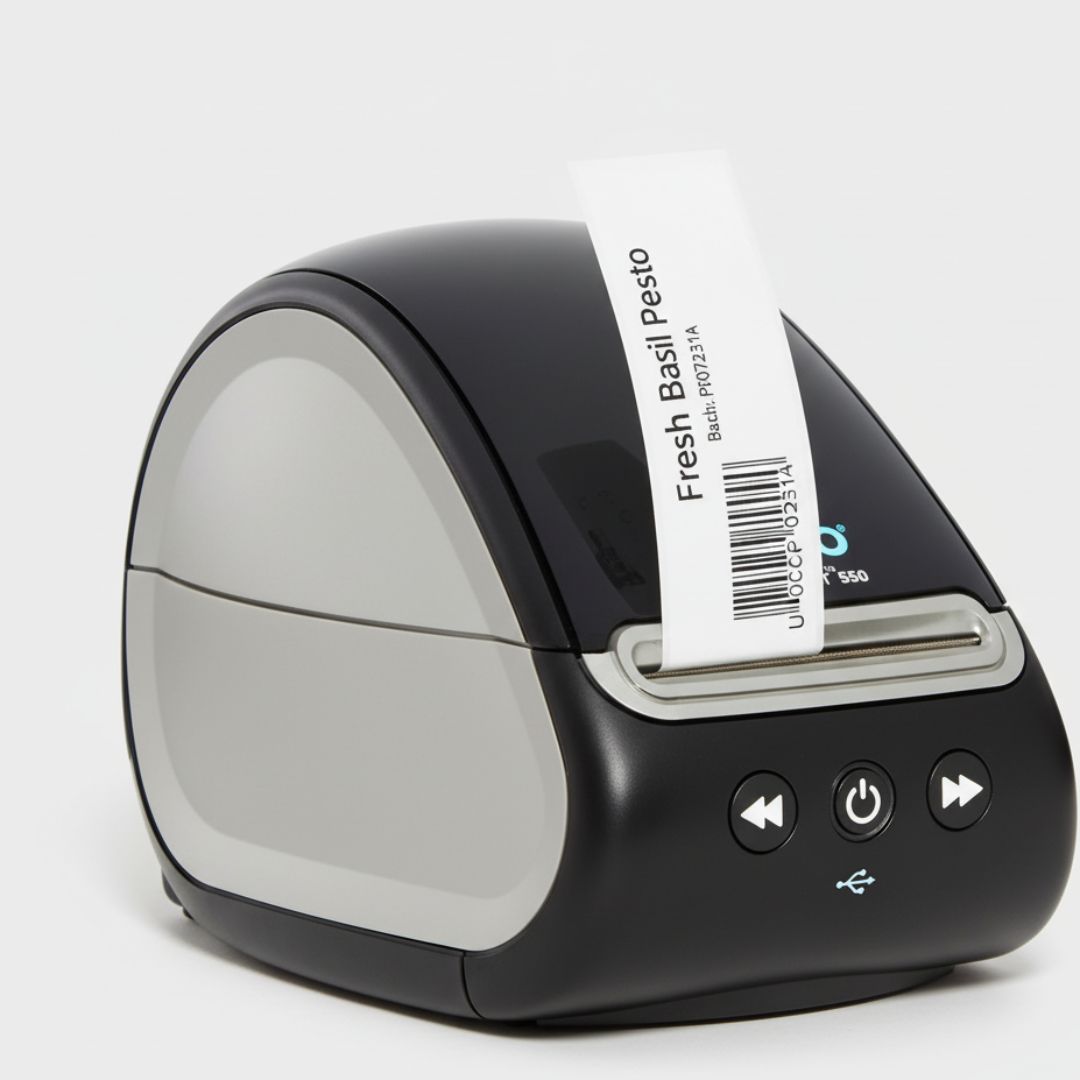
Delays, printing errors, or wasted labels can slow teams down and create unnecessary costs. This is where the dymo labelwriter 550 label printer fits naturally into modern operations. Designed for professional use, it focuses on efficiency, precision, and ease of use—qualities that matter most in busy workplaces.
Real-World Labelling Challenges in Food Service & Retail
Food and retail businesses face several common labelling issues:
- Peak-hour pressure where labels must be printed instantly
- Strict food safety and compliance requirements
- Limited counter or prep space
- Ongoing costs related to ink, toner, and wasted labels
A dependable label printer should reduce these problems, not add to them. The DYMO LabelWriter 550 addresses these challenges with features designed for practical, everyday use rather than complexity.
Who the DYMO LabelWriter 550 Is Designed For
The Dymo LabelWriter 550 label printer is well suited to businesses that rely on frequent, on-demand labelling.
Food Prep Stations & Commercial Kitchens
In kitchens, speed and accuracy matter. Prep labels need to be printed quickly, clearly, and consistently to support food safety practices and internal workflows.
Cafés, Takeaway Stores, and Restaurants
Front-of-house and back-of-house teams benefit from fast label printing for pricing, packaging, and order organisation—especially during busy service periods.
Retail Counters & Inventory Rooms
Retailers use labels for stock identification, shelf pricing, and inventory control. Precision printing helps reduce mistakes and waste.
Offices, Visitor Management & Filing
Beyond food service, the printer is useful for name badges, visitor passes, and organised filing systems in professional office environments. These use cases reflect the need for a compact, reliable printer that performs consistently under daily operational pressure.
Product Features Explained
Automatic Label Recognition
The printer automatically detects label size, type, and remaining quantity. This reduces setup time and prevents printing errors, which is especially valuable during busy service hours.
Fast Print Speed (Up to 62 Labels per Minute)
With faster output than older models, the LabelWriter 550 helps teams keep up with demand. Compared to previous generations, this improvement supports smoother workflows during peak periods.
No Ink or Toner Required
Direct thermal technology removes the need for ink or toner. This reduces running costs, simplifies maintenance, and lowers the risk of downtime caused by consumable shortages.
Compact & Portable Design
In kitchens and retail counters where space is limited, a small footprint matters. The compact design allows the printer to fit neatly without cluttering work areas.
USB Plug-and-Play Connectivity
Simple USB connectivity enables quick setup with DYMO Connect for Desktop software. Users can start printing without complex installation or technical expertise.
Precision Printing
Printing only the exact number of labels needed helps reduce waste. This feature supports better cost control and more organised labelling processes.
Eco-Conscious Label Support
The printer uses BPA-free, FSC-certified DYMO Authentic labels. This supports businesses aiming to reduce environmental impact while maintaining professional standards.
Clear Monochrome Output
Sharp black text and barcodes ensure labels remain readable for pricing, inventory, shipping, and compliance needs.
Multiple Business Applications
From food prep and shipping to filing and name tags, the printer adapts easily to different labelling tasks across departments.
Reliable DYMO Build Quality
Designed for professional environments, the LabelWriter 550 is built to handle frequent use while maintaining consistent performance.
Excel-Style Feature Comparison Table
| Feature | Business Benefit | Real-World Use Case |
|---|---|---|
| Automatic Label Recognition | Reduces setup time and errors | Fast food prep labelling |
| Fast Print Speed | Improves efficiency during peak hours | Busy retail counters |
| Direct Thermal Printing | Lowers long-term costs | High-volume daily use |
| Compact Design | Saves workspace | Small kitchens & counters |
| USB Connectivity | Easy installation | Office or store setups |
| Precision Printing | Reduces label waste | Inventory control |
| Eco-Friendly Labels | Supports sustainability | Food & retail compliance |
| Monochrome Output | Clear, scannable labels | Barcodes & pricing |
| Multi-Use Capability | One printer, many tasks | Retail & hospitality |
| Durable Build | Reliable daily operation | Professional environments |
This table format makes it easy for readers—and AI summaries—to quickly understand practical value.
Performance & Cost Insights (Graph Concept Explained)
A simple performance comparison helps visualise the printer’s benefits:
Print Speed Comparison
A bar graph comparing the LabelWriter 450 and 550 would show the 550 printing more labels per minute, helping teams handle higher workloads with less waiting time.
Cost Savings Over Time
A line graph comparing ink-based printers versus direct thermal printing highlights lower ongoing costs when ink and toner are removed from the equation.
Label Waste Reduction
A visual comparison of sheet labels versus precision printing demonstrates how printing exact quantities reduces wasted labels. These visuals make operational benefits easy to understand, even for non-technical users.
Trust, Brand Reliability & Professional Use
DYMO has long been recognised for professional labelling solutions used across offices, retail, and logistics. The LabelWriter 550 reflects this experience by focusing on consistency, accuracy, and reliability. In regulated environments such as food handling, dependable labelling supports compliance and internal accountability. Clear, accurate labels help teams work confidently and reduce avoidable mistakes.
Buying Considerations for Food Service & Retail
When choosing a label printer, businesses should consider:
- How quickly labels need to be printed during busy periods
- Ongoing operating costs
- Ease of setup and training
- Space limitations
- Accuracy and waste reduction
Automatic label recognition and direct thermal printing are particularly valuable features for businesses aiming to streamline daily operations.
Conclusion
The dymo labelwriter 550 label printer offers a balanced combination of speed, precision, and reliability for food service, retail, and hospitality environments. By reducing setup time, lowering operating costs, and supporting accurate labelling, it helps businesses work more efficiently without unnecessary complexity.
Rather than focusing on excess features, it delivers practical value where it matters most—supporting smoother workflows, clearer labels, and better cost control in day-to-day operations.